Hire an AI Automatic Video Editor Implementation Blueprint for Enterprise Teams
Summary:
Well, you must be aware that enterprises are quite overwhelmed to create more video content, faster and at lower cost, while maintaining brand consistency, creative quality, and technical precision.
That’s where the decision to hire an AI automatic video editor comes into the spotlight.
It’s not just about speeding up cuts or adding captions; it’s about transforming video creation into a smart, data-driven process where AI handles the heavy lifting, and human editors focus on creativity, storytelling, and strategy.
This blog delivers a step-by-step implementation blueprint for enterprise teams looking to integrate an AI automatic video editor, covering vision settings for you so you can build a scalable and future-ready video production engine.
Key Takeaways
- AI-powered video editing automation can cut editing turnaround time compared to traditional workflows.
- Hiring or engaging with an AI automatic video editor isn’t simply replacing human editors; it’s about creating a hybrid workflow where human creativity is amplified by technological power.
- Enterprise adoption of AI in video editing requires strong change management, clear stakeholder engagement, and a detailed implementation plan, not just tool selection.
- Data governance, brand safety, and ethical considerations must be built into the strategy from the start.
- Measuring success demands both qualitative (creative output, brand alignment) and quantitative indicators so that you can make the business case for scaling.
Why Enterprise Teams Should Hire an AI Automatic Video Editor?
An AI automatic video editor refers to an AI automation platform, service, or tool that uses artificial intelligence to perform editing tasks automatically or semi-automatically: scene detection, shot selection, audio transcript alignment, auto-captions, auto-dubbing, stabilisation, colour matching, motion graphics, and short-form generation from long-form content.
The key is automation of repetitive tasks and scaling of output, while maintaining brand quality.
Today’s enterprise organisations are generating video content across marketing, training, internal communications, product demos, customer testimonials, onboarding, and more.
Challenges in Traditional Editing Workflows
Traditional video editing workflows involve manual labour: ingesting footage, logging clips, syncing audio, locating best takes, rough cuts, transitions, colour grading, motion graphics, exporting for formats, captions/dubbing.
These tasks consume time, cost, and scale poorly, especially when you need to produce dozens or hundreds of videos per month.
Studies find that AI tools in post-production reduce editing time significantly: one case reported that footage grouping and scene detection improved by 70% using AI.
Meanwhile, creative teams often get bogged down in repetitive or mechanical tasks, leaving less time for story, brand nuance, and creativity.
Implementation Blueprint for Enterprise Teams
Let’s now walk through a step-by-step blueprint for enterprise teams to hire an AI automatic video editor and embed it into production workflows.
Step 0: Establish Vision & Business Objectives
Before selecting any tool, you need to define why you are doing this. For example:
- Objective: Reduce the turnaround time of marketing videos from 10 days to 3 days.
- Objective: Reduce the cost per training video by 40 %.
- Objective: scale to regional versions (e.g., 10 languages) within the existing team.
- Objective: maintain brand standard across 500+ videos per year.
- Set measurable KPIs (e.g., videos/month, cost/video, time/video, reuse rate, brand compliance scores).
- Define success criteria. Tie to business outcome: fast campaign launch → more leads, better training engagement → lower onboarding cost, etc.
Step 1: Audit Existing Video Workflow & Content Inventory
- Inventory all existing video content: by type (marketing, training, internal comms), formats (long form, short form), and volumes.
- Map current workflow: who does what (producers, editors, motion graphics, export), tools used, hand-offs, timelines.
- Identify bottlenecks: “We wait two days for a rough cut”, “We outsource colour grading and motion graphics cost is high”, etc.
- Identify reuse potential: “Can we repurpose a webinar into five social clips?”, “Do we need 20 language variants?”.
- Assess brand consistency: do current videos vary in look/feel? Are manual edits introducing variation?
Step 2: Define Use-Cases, Personas, Volumes & KPIs
Define exactly where an AI automatic video editor will be deployed. Examples:
- Use-Case A: Marketing campaign videos (2–4 min) for social & web.
- Use-Case B: Internal training modules (10–30 min) with multiple language subtitles.
- Use-Case C: Product demo videos (1–3 min) repurposed into 15-sec shorts for social.
Step 3: Select the Right AI Video Editing Service / Platform
Here is your key decision: whether to hire an AI automatic video editor (as a service) or implement a tool in-house, or a hybrid.
- Build in-house: You develop tooling or integration with existing editors. High control and brand fit, but high cost and time.
- Buy a platform: Use an AI video editing tool for AI automation testing and implement it with your editors. Easier to scale.
- Hire a service: Engage an external team that uses an AI automatic video editor tooling, an outsourced model. Lower internal overhead but less control.
Evaluation criteria for enterprise teams
- Scalability: Can it handle your volume and variety (formats, languages, aspect ratios).
- Brand compliance: Does the tool support brand templates, style guides, and auto-brand elements?
- Integration: Does it integrate with your DAM, CMS, marketing stack, and cloud storage?
- Security & governance: Does it handle enterprise data securely? Is it compliant with data-privacy laws?
- AI capabilities: scene detection, transcript alignment, auto-captions, multilingual dubbing, motion graphics automation, and short-form extraction.
- Human-in-loop flexibility: Can editors override AI decisions, maintain creative control?
- Vendor stability & maturity: Are there credible case studies, enterprise references?
- Cost model: Subscription, per-video fee, service rate.
Vendor shortlist & evaluation
Use your criteria: hold demos, run proof-of-concept.
One case study shows enterprise teams replaced many manual tasks with automated tagging, scene detection, and reduced editor hours by 70%.
Step 4: Pilot Implementation
Once you’ve selected a tool/service, run a controlled pilot.
Pilot scope:
- Choose 1–2 use-cases (from Step 2) that are high impact but safe.
- Define pilot team: marketing/training lead + editors + IT + vendor.
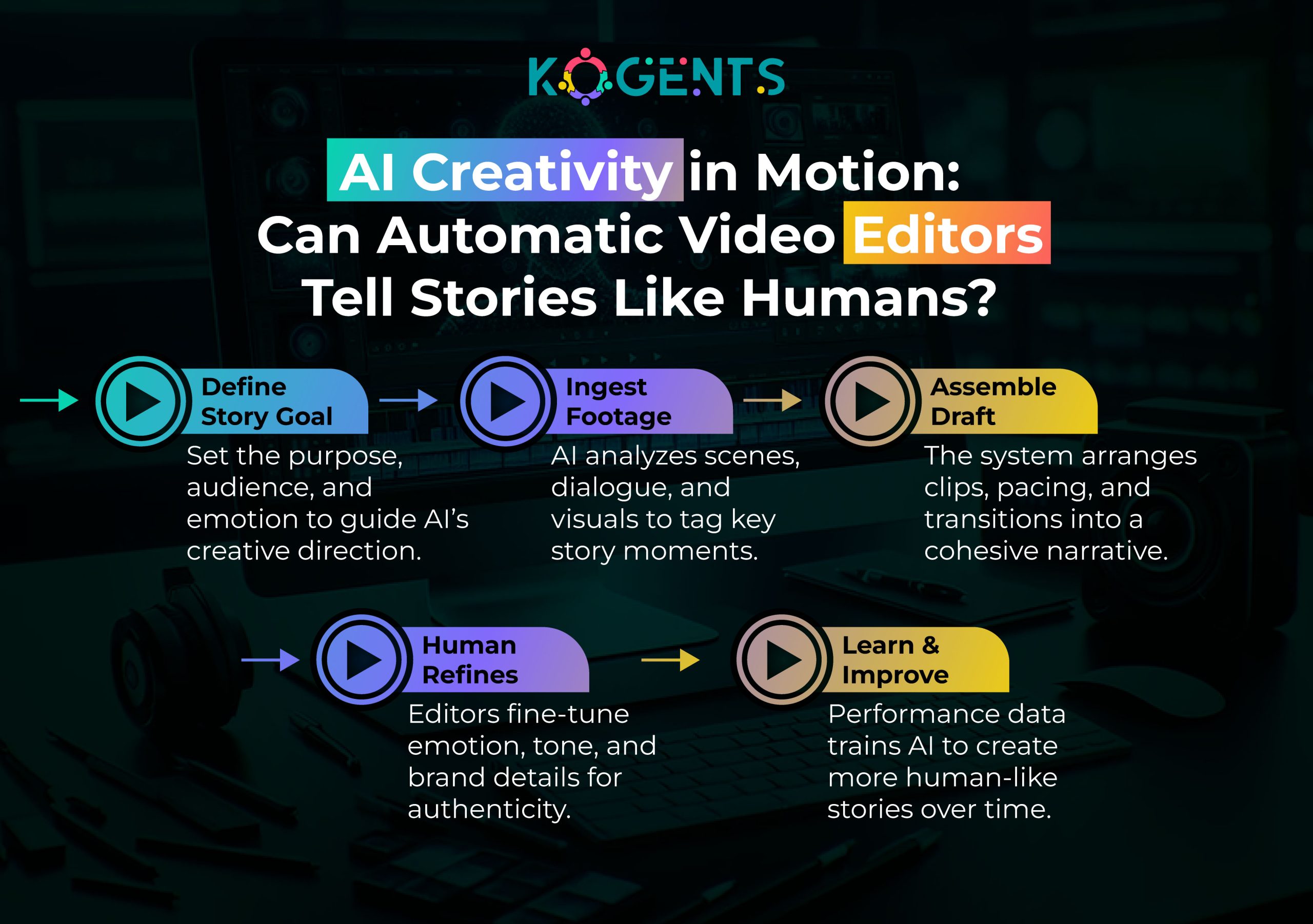
- Workflow definition: define how the AI automatic video editor plugs in: upload raw footage → AI processes (scene detection, auto cuts) → human editor reviews → output formats.
- Define pilot duration and volume: e.g., 10 videos over 4 weeks
Training & onboarding:
- Train your team on tool features, workflows, and change-management aspects.
- Establish handles for brand templates, naming conventions, and the digital asset library.
Metrics & evaluation:
- Track time per video (pre-pilot vs pilot).
- Track cost (editor hours, vendor fees).
- Track output volume and rework rates.
- Gather qualitative feedback: editor satisfaction, brand lead satisfaction, and end-user reception.
Review & iterate:
- Identify friction (integration issues, brand inconsistencies, export problems).
- Adjust templates, workflows, and custom rules.
- Decide go/no-go for scale.
Step 5: Scale & Embed into Enterprise Production
If the pilot is successful, roll out across the full operation.
Governance & standards:
- Define video production standards: aspect ratios, durations, templates for marketing/training/internal.
- Create brand-compliance rules: logo placement, colour palette, typography. The AI tool must enforce or assist with this.
- Centralised asset management: connect tool to your DAM, CMS, metadata standards, and version control.
- Team roles: assign AI-editing champion, workflow manager, vendor liaison.
Collaboration and workflow integration:
- Integrate with existing marketing planning, training scheduling, and content calendar.
- Provide training for editors to shift from manual heavy-lifting to oversight and creative refinement.
- Change management: communicate benefits (speed, lower cost, more creative time) to gain buy-in from human editors and stakeholders.
Scaling volumes:
- Implement into multiple content streams (marketing, training, social, product).
- Expand regionally: define localisation workflows (subtitles, dubbing). AI can help here.
Continuous monitoring & improvement:
- Set up dashboards showing: videos produced, cost per video, time to publish, reuse rate, brand-compliance score, and audience engagement.
- Use feedback loops: review editor overrides of AI, track errors, and refine AI tool rules/templates.
Budgeting & resource planning:
- Forecast volumes and cost savings. Reallocate human resources freed up to higher-value tasks (storyboarding, creative direction, analytics).
- Negotiate vendor/service contracts with volume discounts.
Step 6: Measure & Optimise KPI’s
Metrics are critical. Your enterprise implementation must deliver measurable value.
Example KPI dashboard:
| Metric | Baseline (Before AI) | Target After 6 Months | Current |
| Average editing time per video | e.g., 48 hours | 20 hours | |
| Cost per video (USD) | e.g., 3,000 | 1,500 | |
| Number of videos/month | e.g., 50 | 75 | |
| Brand-compliance issues | e.g., 15% | <5% | |
| Editor rework rate | e.g., 10% | 4% | |
| Internal satisfaction score | e.g., 3.5/5 | 4.5/5 |
Case Studies
Case Study A: Enterprise Platform Deployment
- A multinational enterprise adopted an AI-based editing tool for its internal communications team.
- By deploying automated scene detection, transcript alignment, and brand template enforcement, the team reduced editing time by 70%.
Key lessons: choose a use-case with high volume and standardisation; invest in templates upfront; monitor human-in-loop metrics.
Case Study B: Global Multi-Region Implementation
- A large consumer brand implemented an AI video editing service across its marketing, product, and social teams.
- They onboarded the AI tool/service across 12 countries and 15 languages.
- By enforcing brand templates and automating export formats (16:9, 9:16, 4:5), they launched 3X more social videos per quarter without hiring additional editors.
Key lessons: when scaling globally, central standards + AI templates matter; training and change management are critical.
Summing Up!
For enterprise teams facing rising video demands, deciding to hire an AI automatic video editor can be transformative.
This approach streamlines workflows, reduces costs, and boosts creative output. With clear vision, smart tool selection, and careful scaling, teams achieve faster production and stronger brand consistency.
At Kogents.ai, we help enterprises design, integrate, and optimize AI-driven video workflows, empowering you to move beyond manual editing and lead the next wave of intelligent, scalable content creation. So, leverage the perks of the best agentic AI company today!
FAQs
How do AI video editors work?
They work by analysing raw video data (images, audio, transcripts) with algorithms that detect scene changes, recognise objects/people (computer vision), generate transcripts (speech-to-text), match audio to video, apply brand templates, generate captions/dubbing, and export required formats. Many tools integrate human-in-loop interfaces so editors can approve or adjust automatic suggestions.
How accurate and reliable are AI video editing systems?
They are increasingly reliable for tasks like scene detection, caption generation, and motion graphics templates. Some studies report 70%+ improvements in time efficiency.SuperAGI.However, accuracy depends on footage quality, brand complexity, language variation, and human oversight. Enterprises should pilot before full deployment.
What’s the cost model when you hire an AI automatic video editor?
Cost models vary: subscription to a SaaS tool, per-video pricing, service-based model (pay per edited video via vendor). Enterprises should factor in onboarding, templates, human review time, localisation cost, and potential cost savings from reduced manual hours. The cheapest isn’t always best—ensure brand compliance, scalability, and governance.
How do I select the best AI video editing platform or service for my enterprise?
Evaluate on criteria such as scalability (volume, languages, formats), brand template support, workflow integration, data security/governance, human-in-loop flexibility, and vendor maturity. Run demos, pilot selected use-cases, and check references. Use pilot metrics to compare cost/benefit.
What are the main risks or challenges of implementing AI video editing in enterprise workflows?
Risks include brand misalignment, quality issues if AI is over-trusted, data security/privacy concerns, change-resistance from human editors, over-automation without oversight, and ethical issues (e.g., AI-generated content credibility). Industries must build governance and train teams.

Kogents AI builds intelligent agents for healthcare, education, and enterprises, delivering secure, scalable solutions that streamline workflows and boost efficiency.