Expanding Microsoft Workflow Automation with Custom AI Agent Integrations
Summary:
In a world where digital disruption is accelerating, business leaders are under intense pressure to automate workflows, streamline operations, and unlock productivity gains.
With the deployment of Microsoft Power Automation, Microsoft’s flagship workflow automation system, has already been widely adopted across organisations of all sizes.
But today, simply automating repetitive tasks is no longer enough. The next wave of innovation lies in combining workflow automation with custom AI agents that actively sense context, make decisions, and execute actions, elevating automation from standard rule-based flows to intelligent and proactive orchestration.
Imagine a scenario: A customer support ticket arrives in Teams; an AI agent reads sentiment, categorises the issue, triggers a Power Automate flow that logs the ticket in Dynamics 365, assigns it to the correct team, updates SharePoint with the resolution path, and notifies stakeholders in Teams, all without manual hand-offs. That is the power of Microsoft workflow automation with AI agent integration.
In this blog, we’ll dive deep into how organisations can expand their Microsoft workflow automation capabilities by embedding custom AI agents.
Key Takeaways
- Embedding custom AI agents into your Microsoft workflow automation system transforms workflows from static logic flows into adaptive, intelligent orchestration.
- The low-code workflow automation, combined with AI agents, enables business users to participate meaningfully while IT retains governance and control.
- For large enterprises, governance, monitoring, a Centre of Excellence, and process mining are no longer optional—they’re foundational for scaling automation.
- Choosing Microsoft workflow automation makes sense, especially when you already use the Microsoft ecosystem (Teams, SharePoint, Dynamics 365), and the addition of custom AI agents sets you up for future-proof automation.
Decipher The Concept Behind Microsoft Workflow Automation
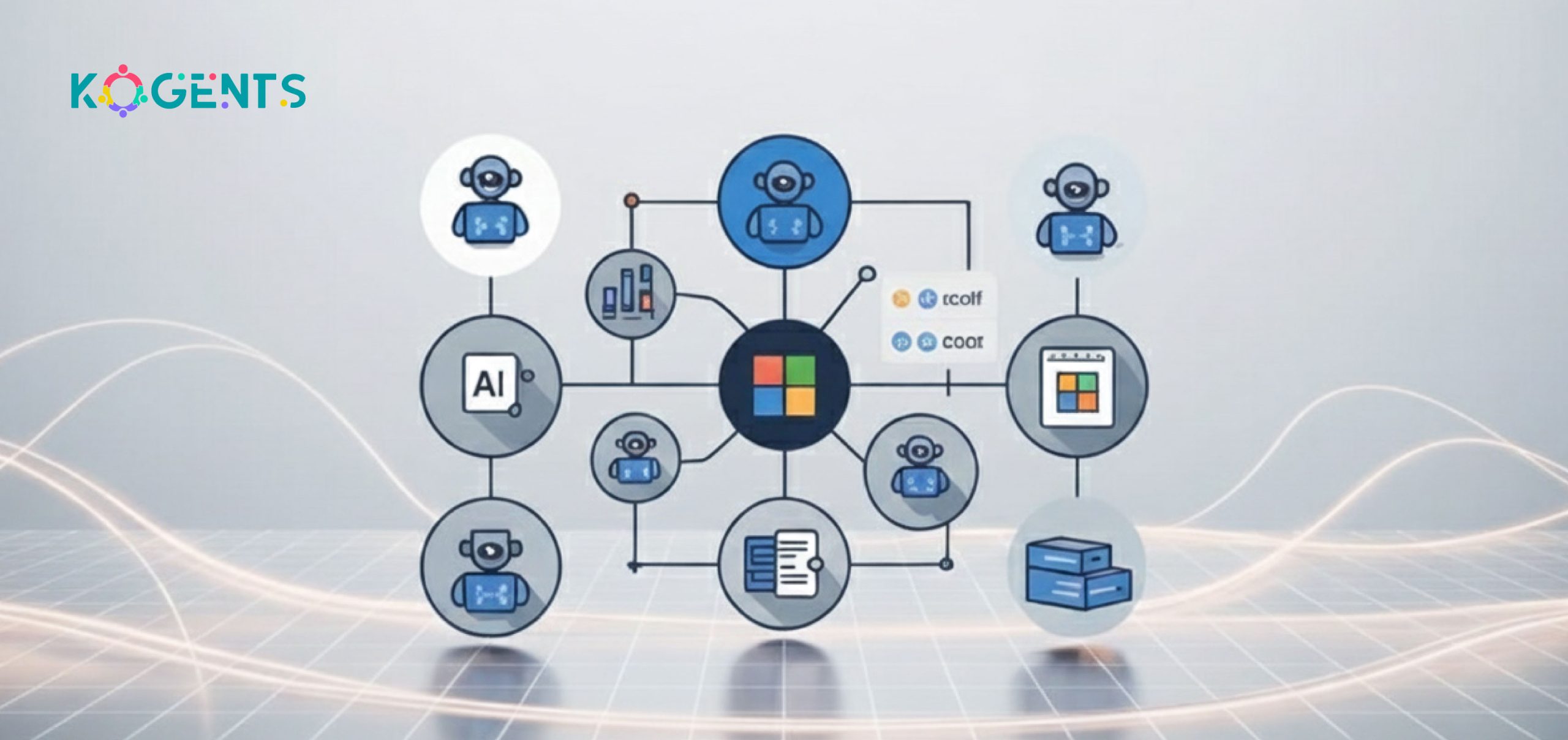
It refers to Microsoft’s capabilities for designing, deploying, and managing automated workflows across approvals, integrations, and complex business processes.
Powered by Power Automate within the Power Platform, it connects cloud, desktop (RPA), and app integrations through connectors, triggers, and actions. Moreover, organisations using Microsoft 365, SharePoint, Teams, or Dynamics 365 can leverage existing licences and data for rapid automation.
Its low-code/no-code tools enable both IT and business users to build workflows under governance. This agility in mapping, automating, and optimising processes makes workflow automation AI agents a key driver of digital transformation.
Why Integrate Custom AI Agents?
While traditional workflow automation handles repetitive, rule-based tasks well, the world is moving toward workflows that require intelligence: natural language understanding, decision-making, predictions, anomaly detection, context recognition, dynamic decision paths, and continuous optimisation.
That is where custom AI agents come in. These agents, built using generative AI, machine learning, or domain-specific logic, can be embedded in flows to trigger actions, evaluate context, loop in exceptions, and even initiate corrective flows autonomously.
| Aspect | Traditional Workflow Automation | With Custom AI Agents |
| Decision-making | Rule-based | Context-aware and adaptive |
| Exception handling | Manual | Autonomous correction loops |
| Data handling | Structured only | Structured + unstructured |
| Optimization | Static workflows | Continuous learning and improvement |
| User interaction | Limited | Conversational or predictive |
Implementing Microsoft Workflow Automation with Custom AI Agents
Here’s a roadmap for bringing this to life with Microsoft workflow automation:
Architecture & Components
- Platform core: Use Microsoft workflow automation via Power Automate. Flows (cloud flows, desktop flows) define workflows. In contrast, Apache workflow automation relies on Python DAGs and manual setup, while Microsoft Power Automate tends to offer more prompt, low-code deployment.
- AI agent layer: Build or deploy custom AI agents (via Azure Cognitive Services, Azure OpenAI, or third-party APIs) that expose APIs for key decisions, intents, and predictions.
- Connector library: Use pre-built connectors (SharePoint, Teams, Dynamics 365, Dataverse) plus custom API connectors to link your AI agent.
- Trigger-action pattern:
Example: trigger (new email with invoice) → AI agent (extract invoice details, classify vendor) → flow actions (create record in SharePoint list, notify AP team, update ERP).
- Integration with Microsoft 365 ecosystem: Teams for notifications and collaboration, SharePoint for content storage, Dynamics 365 for CRM/ERP, Dataverse as the underlying data platform.
- Governance & compliance: Set up automation governance, audit trails, tenant-wide standards, and role-based permissions.
- Monitoring & analytics: Use Power BI or built-in analytics to monitor flows, measure process performance, detect bottlenecks, and audit exceptions.
- Change management & adoption: Citizen developers empowered to build flows; IT provides guardrails and a Centre of Excellence (CoE).
Implementation Steps
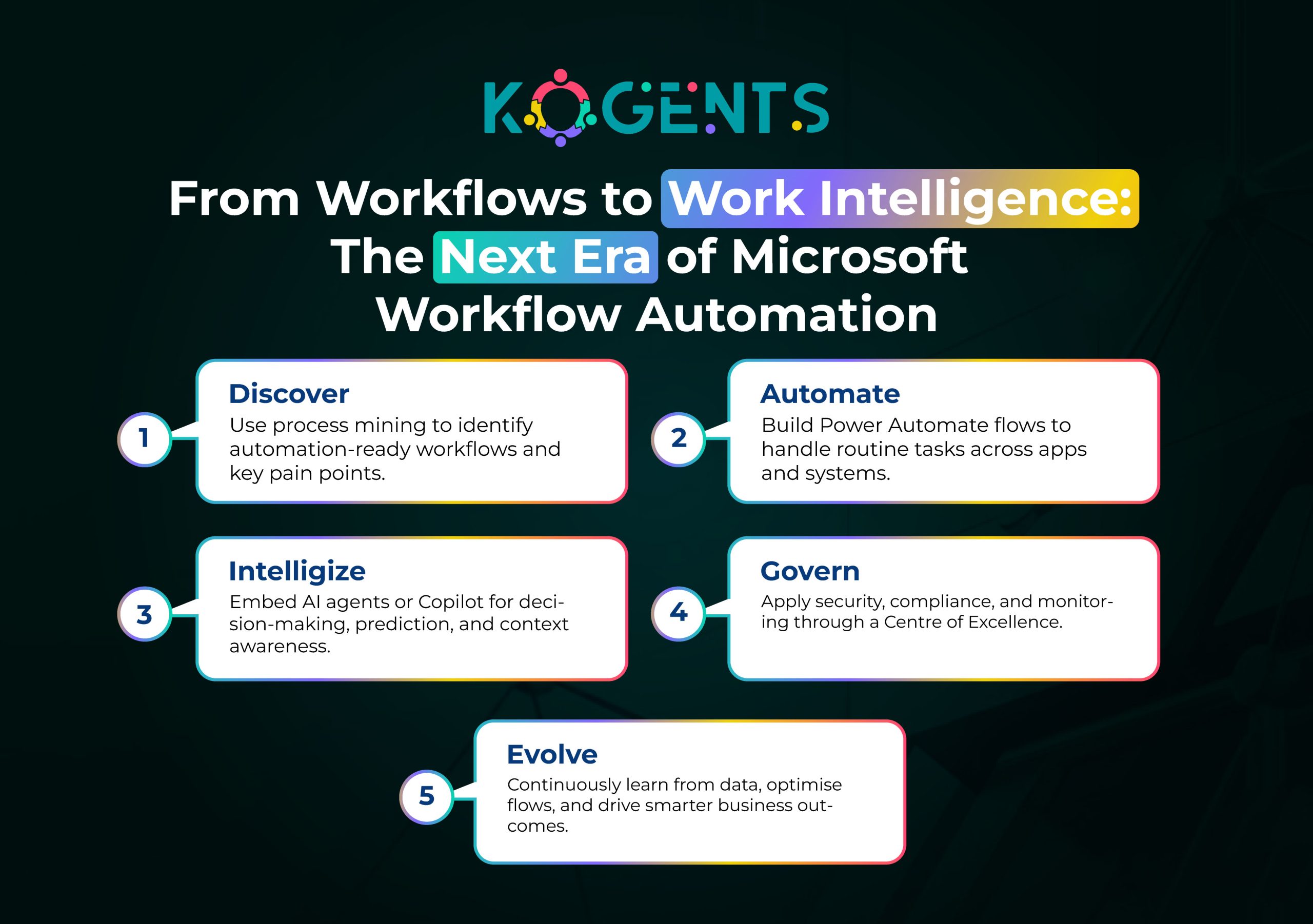
- Process discovery: Use process mining tools and workshops to identify candidate workflows for automation and AI-agent augmentation.
- Design workflow: Map current state, desired state. Identify where the AI agent logic sits (decision node, prediction, classification).
- Build an AI agent: Define intents, train a model, and expose a REST API or a connector.
- Build flow in Power Automate: Create trigger, call AI agent, implement branching/actions.
- Integrate systems: Use connectors to integrate with SharePoint, Teams, Dynamics 365, Dataverse, and legacy systems.
- Govern & secure: Define standards for connectors, data handling, compliance, and audit logs.
- Test & deploy: Pilot, measure KPIs, iterate.
- Monitor & optimise: Use analytics, process mining, and user feedback to refine flows and agent logic continuously.
Integration Examples
- Connect the AI agent to SharePoint lists: e.g., when a document is uploaded, the agent reads content and classifies it, then Power Automate routes it accordingly.
- Augment Teams workflows: a bot in Teams receives a query, uses the AI agent to interpret, then triggers a flow to retrieve data from Dynamics 365, and posts back an answer.
- Enhance Dynamics 365 CRM workflows: when a new lead arrives, the AI agent scores it, Power Automate routes it, adds follow-up tasks, and notifies sales.
Governance & Security Considerations
- Ensure secure authentication and connector permissions.
- Audit all automation flows with logs, maintain an audit trail of actions by bots and AI agents.
- Create a Centre of Excellence (CoE) for Microsoft workflow automation: define best practices, reusable templates, citizen developer training, and governance.
- Manage data privacy, especially when AI agents process personal data.
- Ensure compliance with internal/external regulations (especially if you automate finance, HR, and healthcare).
Use Cases: Microsoft Workflow Automation for Business Processes with AI Agents
Here are concrete use cases where embedding custom AI agents into Microsoft workflow automation makes a significant difference:
Use Case 1: Invoice processing and accounts payable automation
Using Microsoft workflow automation and RPA capabilities with Power Automate, organisations can automate invoice capture, classification, approval routing, and payment. With a custom AI agent, the process becomes smarter: the agent extracts invoice line items via OCR, classifies vendor categories, predicts delay risk, flags inconsistencies, and then triggers the workflow accordingly.
Use Case 2: Customer-service ticket triage & escalation
A custom AI agent analyses incoming customer emails or chat logs (via Teams), detects sentiment, urgency, and topic, then Power Automate creates a ticket in Dynamics 365, assigns it to the correct team, notifies stakeholders, and logs in SharePoint.
With unattended bots handling repetitive triage tasks, service teams focus on high-value interactions.
Use Case 3: Enterprise-scale legacy system integration & process optimisation.
Enterprises with legacy systems often struggle with data silos.
By combining process mining and custom AI agents, organisations can build an enterprise-grade automation platform: Power Automate flows orchestrate across legacy apps, AI agents detect exceptions or suitability, enabling scale.
Case Studies: Real-World Examples
Case Study A: Leroy Seafood Group (Norway)
Leroy Seafood Group used the Power Platform and Power Automate to digitise operations, deploying 4,000+ Premium Power Apps licences and an automated Centre of Excellence.
A mobile app standardised offshore data reporting, improving accuracy by 11.6% and saving USD 8 million.
This showcases how Microsoft workflow automation scales enterprise processes through citizen development, connectors, and governance.
Case Study B: Cineplex (Canada)
Cineplex, a major media & entertainment company, used Microsoft Power Platform to streamline business processes, including finance and guest services.
- Over 100 employees used the platform to build automation solutions.
- The company saved over 30,000 hours a year in manual processing time.
Case Study C: Integration with AI Agents (Hypothetical)
Though few public case studies explicitly cite “custom AI agent + Power Automate”, Microsoft’s April–May 2024 customer stories highlight organisations embedding Copilot, AI, and automation through the Power Platform.
Example: an insurance leader integrated a Copilot with Power Automate to process inquiries in under 30 seconds.
Before You Leave!
Digital transformation demands more than manual or rule-based automation; it requires intelligent, adaptive workflows.
By combining Microsoft workflow automation with custom AI agents, organisations gain decision-making, predictive insight, and agility.
This integration enables intelligent process orchestration, boosting efficiency and innovation.
Kogents.ai helps you design and implement these solutions; contact us today to build your next-generation automation ecosystem..
FAQs
What is Microsoft workflow automation?
Microsoft workflow automation refers to the system, tools, and services — especially Power Automate — that enable users to design and execute automated flows across systems, connectors, triggers, and actions. It supports business process automation, rule-based logic, low-code automation, and task automation across cloud and desktop.
How does Microsoft workflow automation work?
It works by defining a trigger and then executing a series of actions. Under the hood, the workflow engine handles branching, loops, connectors, data handling, and integrates with Microsoft 365, Azure, and RPA bots. When custom AI agents are embedded, the flow can include intelligent decision-points (context recognition, prediction) rather than just static rules.
How to implement Microsoft workflow automation in your organisation?
Implementation involves: assessing processes via process mining, selecting pilot workflows, building flows in Power Automate, integrating connectors (SharePoint, Teams, Dynamics), embedding custom AI agents where intelligence is required, ensuring governance, training citizen developers, monitoring, and scaling. It’s critical to start small, build governance (CoE), measure ROI, then scale.
Microsoft workflow automation vs other workflow tools — how do they compare?
Microsoft workflow automation stands out when you already leverage Microsoft 365, SharePoint, Teams, Dynamics 365, and want low-code citizen development plus tight ecosystem integration. For pure RPA or non-Microsoft ecosystems, other tools like UiPath or Automation Anywhere may be stronger in desktop automation depth or vendor-agnostic contexts. However, when adding AI agent integrations and enterprise governance, Microsoft offers a compelling stack with a cost advantage.
What security & governance considerations should I know for Microsoft workflow automation?
Governance involves managing connector permissions, enforcing role-based access, logging audit trails, applying data loss prevention (DLP) policies, segregating environments (development/production), monitoring flow run history, establishing approval processes for flows, maintaining change management for citizen-developers, and ensuring compliance (especially if automations touch finance, HR, or regulated data). When embedding AI agents, ensure model/data privacy, secure APIs, and rationale transparency.

Kogents AI builds intelligent agents for healthcare, education, and enterprises, delivering secure, scalable solutions that streamline workflows and boost efficiency.